Change Your Cockpit Credentials
This page describes, how you can manage your user profile credentials. For more information about your user profile, please visit Difference between your User Profile and a Customer Account.
Change Password
In order to change your password, do the following in Cockpit:
- Click on your user profile icon in the side navigation on the left
- Choose
Manage Login Credentials
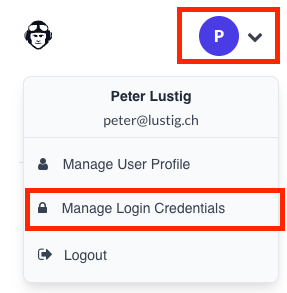
A new page should open up. Now do the following:
-
Choose
Signing inunderAccount Security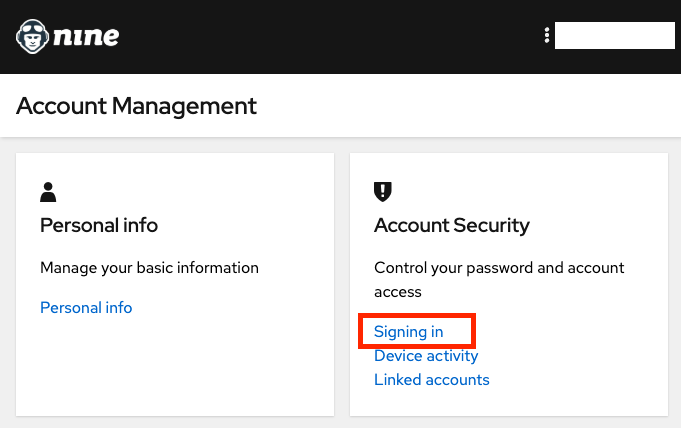
-
Choose
UpdateunderMy Password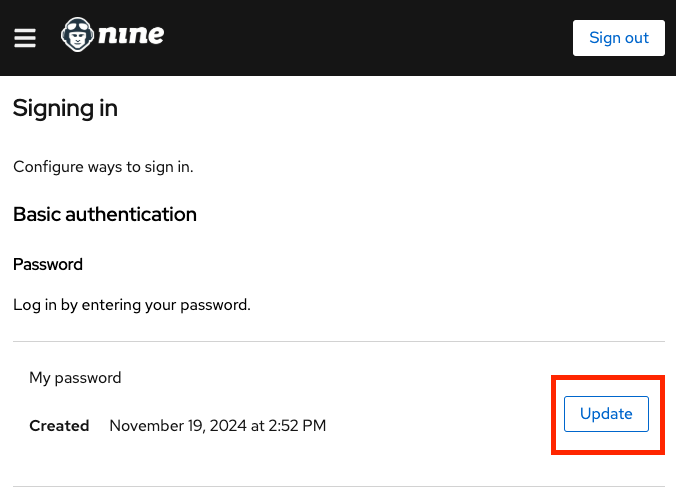
Enable Two-Factor Authentication
In order to enable Two-Factor Authentication, do the following in our Cockpit:
- Click on your User Profile Picture in the side navigation on the left
- Choose
Manage Login Credentials
A new page should open up. Now do the following:
-
Choose
Signing inunderAccount Security -
Now you can manage the settings under
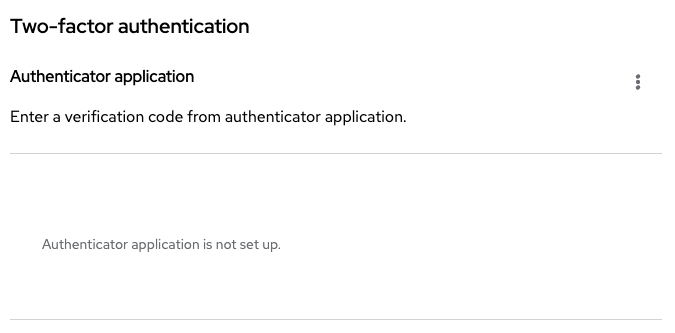
Two-factor authentication